Label scanning
Wine Label Scanner App: Scan Any Bottle Free
A wine label scanner should do more than OCR the text. The best ones connect what is on the label to what you need to know before you buy, order, or pour.
Key takeaways
- Frame the front label straight-on with minimal glare for best results.
- One scan should answer taste, pairing, serving, and value — not just the name.
- Saved scans become a private cellar you can search later.
The scan
How to photograph a wine label for accurate results
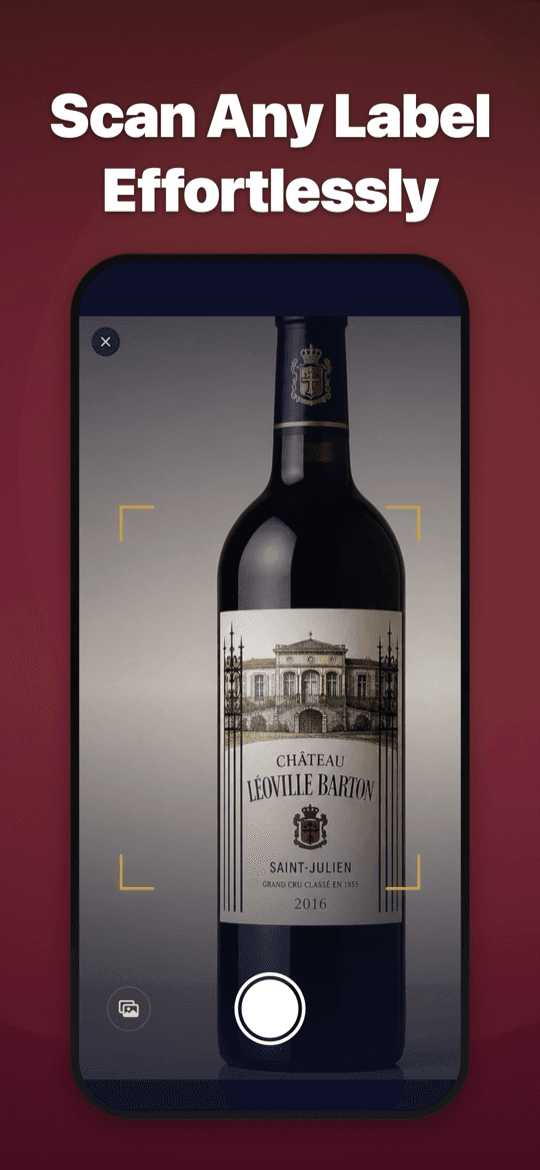
Hold your phone steady and fill the frame with the front label. Straight-on angles beat steep tilts. Reduce glare by shifting slightly left or right rather than using flash — flash often blows out gold foil and white text.
Include the producer name, appellation line, and vintage if visible. You do not need the entire bottle — just the label zone with readable text. Wine Identifier handles moderate blur and low light, but readable characters improve match quality.
If the first scan is uncertain, try a closer crop or a second angle. Back labels with importer or grape details can help disambiguate similar front labels.
The dossier
Five questions every scan should answer
After identification, you should know: (1) what it tastes like, (2) what grapes are involved, (3) whether the price is reasonable, (4) what food it pairs with, and (5) how to serve it.
Wine Identifier returns all five in a single tasting card. Aroma and palate descriptions use plain language. Structural notes — acidity, tannin, body — tell you how the wine feels, not just what flavors marketing copy promises.
Serving guidance includes temperature range and decanting recommendation. A young Barolo and a crisp Sauvignon Blanc need opposite treatment; the app distinguishes them automatically.
The cellar
Every scan becomes searchable history
Bottles you scan save automatically to a private on-device collection. Three months later, when a guest asks "what was that wine we had?" — you have the answer.
Cellar history turns occasional scanning into a personal wine journal. Patterns emerge: regions you gravitate toward, producers you revisit, price ranges that deliver value.
Pro removes the daily scan limit so your cellar grows naturally — one bottle at a time, without hitting a wall during a shopping trip or tasting event.
Compare apps
Scanner how-to vs. free app comparison
This guide is the how-to: photograph the label, read the dossier, save the bottle. For a side-by-side checklist of free wine scanner apps and what to demand before you pay, see Free Wine Scanner App (2026).
Need the iPhone-specific pitch (native camera, on-device cellar, free daily scan)? Use the wine identifier app for iPhone.
Try it yourself
Scan any label. Get the full dossier.
Wine Identifier is free to download with one complete scan per day. Pro unlocks unlimited scans, the full Wine Library, and cellar value insights — built for shops, restaurants, and home cellars.
FAQ
Common questions
Does Wine Identifier scan back labels?+
The front label provides the strongest match signals. Back labels help when they add grape percentages, importer details, or lot codes that distinguish similar bottles.
Will the app work with a blurry photo?+
Moderate blur and dim light often work. Very damaged labels or extreme glare may reduce confidence. Retake with better lighting when possible.
How long does a scan take?+
Most identifications complete in under ten seconds — from photo to full tasting card.
Is scanning free?+
Wine Identifier includes one complete scan per day free. Pro unlocks unlimited scans, the full Wine Library, and cellar value insights.