Tasting & pairing
Scan a Wine Label for Tasting Notes in Plain English
Tasting notes should prepare you for what is in the glass — not impress you with vocabulary. Scan the label; read the profile; pour with expectations.
Key takeaways
- Structure notes (body, acidity, tannin) predict mouthfeel better than flavor adjectives.
- Label-specific notes beat generic grape descriptions.
- Save tasting profiles to remember what you actually liked.
Plain language
Tasting notes that help, not confuse
Professional tasting notes reference tar, forest floor, and pencil shavings. Useful for trained palates — opaque for everyone else. Good consumer tasting notes answer: what will this feel like in my mouth?
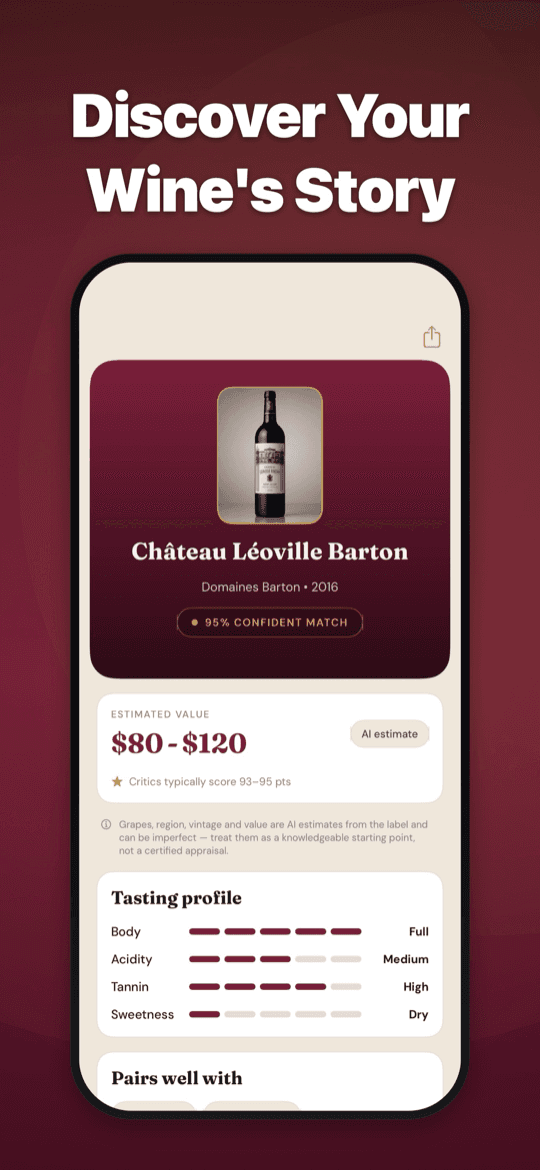
Wine Identifier describes aroma (what you smell), palate (what you taste), and finish (what lingers). Structural annotations — light-bodied vs. full, high acidity vs. soft, grippy tannin vs. smooth — tell you whether the wine drinks bright and refreshing or rich and coating.
Scanning connects notes to the actual bottle and vintage, not a generic "Cabernet Sauvignon" profile that ignores whether it is a $12 Chilean or a $80 Napa Reserve.
Before you pour
Use tasting notes to set expectations
Reading notes before opening prevents disappointment. If the profile says high tannin and earthy depth, do not expect a fruity pop. If it says bright citrus and mineral, do not serve it room temperature with heavy stew.
Serving guidance accompanies every profile: temperature range, decanting time, and glass type recommendation. Notes plus serving equals a better first impression.
At wine shops, scan before buying. The tasting card tells you whether the bottle matches your mood tonight — without relying on shelf talkers written by marketing teams.
Build taste memory
Saved notes reveal your palate over time
Each saved scan adds to your personal taste map. After twenty bottles, patterns emerge: maybe you consistently save crisp, mineral whites and skip oaky, buttery ones.
That self-knowledge makes future purchases faster. You stop guessing and start choosing based on structural preferences you discovered through scanning.
Pro enables unlimited scans for tasting flights, shop comparisons, and building a rich tasting history without daily limits.
Try it yourself
Scan any label. Get the full dossier.
Wine Identifier is free to download with one complete scan per day. Pro unlocks unlimited scans, the full Wine Library, and cellar value insights — built for shops, restaurants, and home cellars.
FAQ
Common questions
Are tasting notes from the actual wine in the bottle?+
They are AI-generated from the identified bottle and wine knowledge — not from chemical analysis of the liquid. They describe what the wine is likely to express based on producer, region, vintage, and style.
Can beginners understand the notes?+
Yes. Notes prioritize plain language and structural clarity over advanced tasting vocabulary.
How is this different from winery tasting notes on the back label?+
Winery notes are marketing — always positive, rarely specific to vintage variation. App-generated notes aim for honest structural description independent of the producer's sales goals.
Can I scan wines at a tasting event?+
Yes. Pro's unlimited scans are designed for exactly this — multiple bottles in one session, each saved with its own tasting profile.