Label scanning
Wine App for Restaurant Lists: Order With Confidence
Restaurant wine lists compress hundreds of bottles into cryptic lines. A wine app turns "Domaine Weinbach, Alsace, 2019" into " aromatic, off-dry Riesling blend — great with foie gras or spicy Asian."
Key takeaways
- Translate unfamiliar regions and producers before the server waits.
- Match wine weight to the table's food — scan to compare options.
- Save bottles you loved so you can buy them later.
The list problem
Why restaurant wine lists feel impossible
Lists optimize for space, not clarity. You see producer, appellation, vintage, price — but not grape, body, or pairing fit. If you do not know that Saint-Joseph is Syrah from the Northern Rhône, the line tells you nothing useful.
Markup varies wildly. A bottle costing $12 retail may appear at $48 on the list. Without context, you cannot judge whether the markup is standard for the venue or excessive for the category.
Time pressure compounds confusion. The server is waiting. Your tablemates defer to you. You need an answer in thirty seconds, not a twenty-minute research session.
The workflow
Scan, compare, order
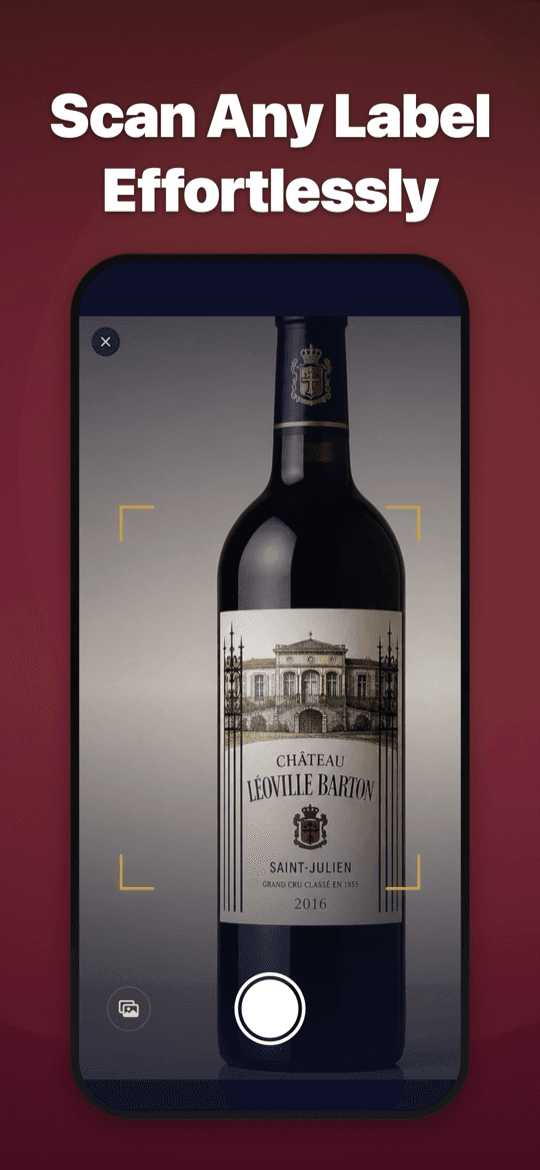
If bottles are visible — at the bar, on a display, or already on the table — scan the label for instant context. If working from the list alone, note the producer and region, then scan when the bottle arrives to confirm and save.
Compare two or three options by scanning each (or reading list entries against your food). A $60 Burgundy and a $40 Beaujolais serve different purposes — structure notes reveal which fits the ribeye vs. the fish course.
Be discreet. A quick scan under the table edge takes two seconds. Most restaurants welcome informed guests; few appreciate flash photography of their wine program.
After dinner
Save the bottle for next time
The best restaurant wine discovery is the one you can find again. Scan before the bottle is empty and save it to your cellar. Next week at the shop, you know exactly what to look for.
Pro matters at restaurants because one free scan rarely covers an appetizer wine, a main course red, and a comparison between two options. Unlimited scans let you explore the list instead of guessing once.
Try it yourself
Scan any label. Get the full dossier.
Wine Identifier is free to download with one complete scan per day. Pro unlocks unlimited scans, the full Wine Library, and cellar value insights — built for shops, restaurants, and home cellars.
FAQ
Common questions
Is it rude to scan wine at a restaurant?+
A discreet phone scan is generally fine. Avoid flash, prolonged photography, or disrupting service. When in doubt, scan after the bottle arrives at the table rather than pointing your camera at the wine cellar.
Can the app replace asking the sommelier?+
No — a sommelier knows inventory, food timing, and guest preferences. The app helps when no sommelier is available or the list is unfamiliar territory.
What if the wine list has no bottles to scan yet?+
Use the list text as a starting point. When the bottle arrives, scan to confirm identity and save full tasting context for future reference.
Does the app show restaurant markup?+
It shows estimated retail range. Compare list price to the range to judge markup. Restaurant markups of 2–3x retail are standard; 4x+ warrants scrutiny.